
Restoring is the whole point of archiving, so Hiberden treats it as a first-class promise: restore and verify always work, with or without a license. That is contractual, not a courtesy (see the EULA).
This article covers restoring a whole archive. To pull out individual files instead, see Restoring a single file.
Start a restore
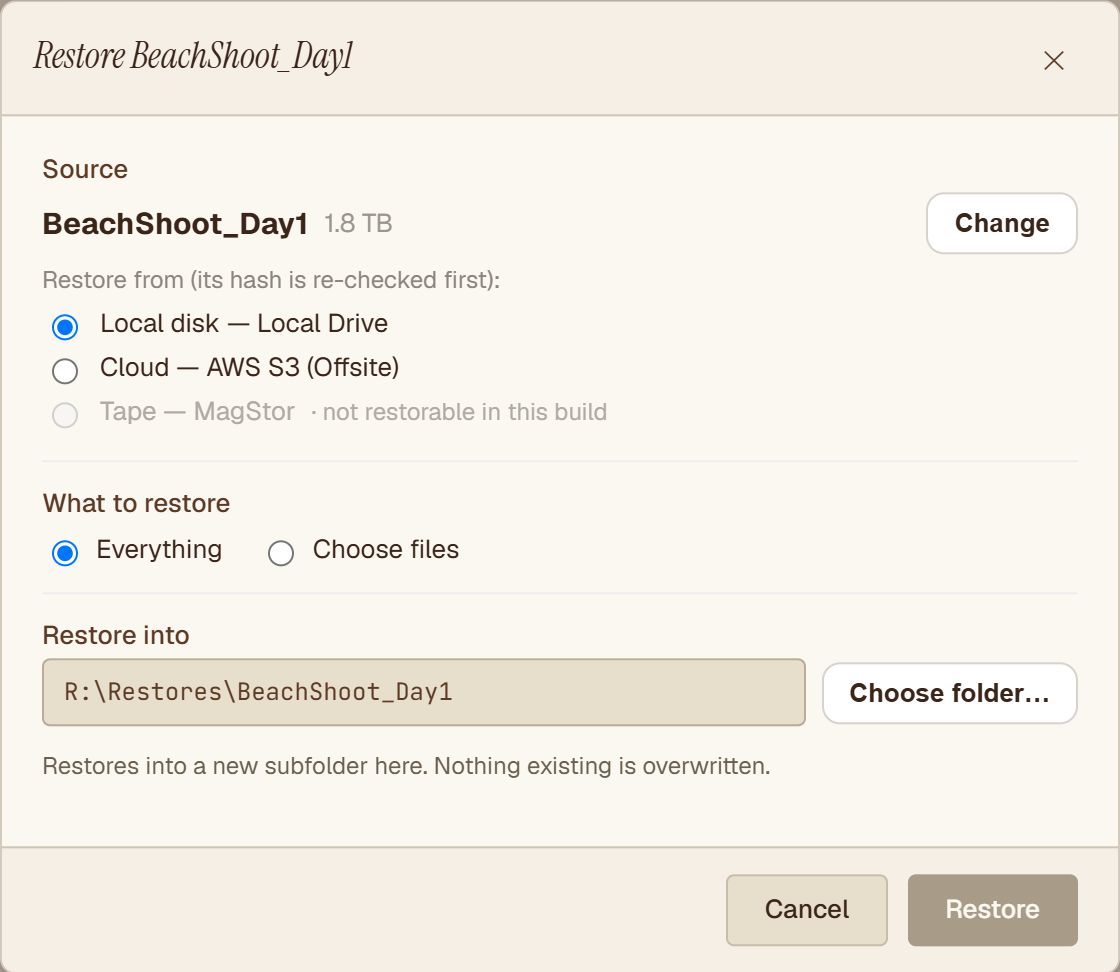
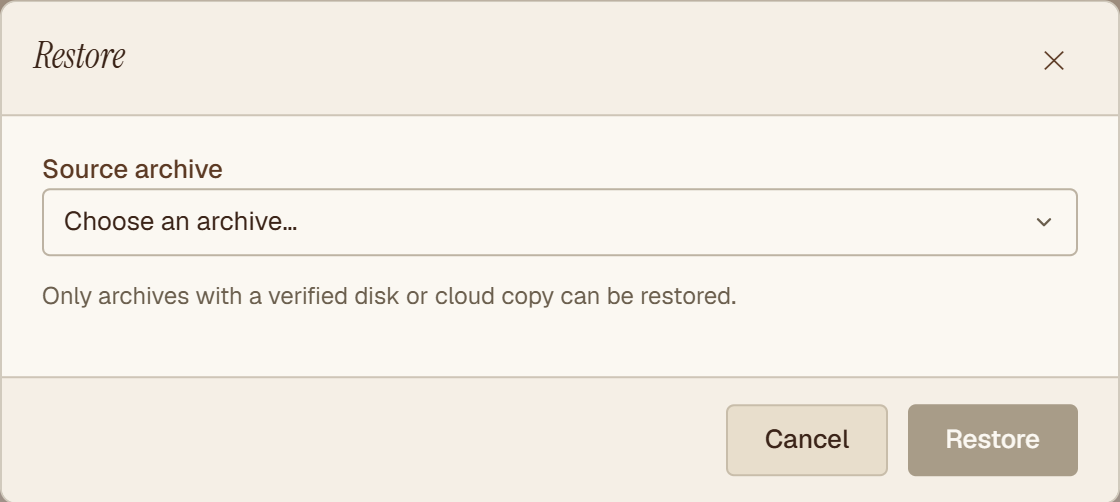
Select the archive in your workspace and choose Restore. Only archives with at least one Verified copy appear restorable, because Hiberden will not offer to restore from a copy it has never proven intact.
Pick a copy
Hiberden picks the best verified copy for you, preferring the fastest medium: local disk or NAS first, then cloud, then tape. If you would rather choose, the picker lists every copy and shows which ones qualify.
Where the files go
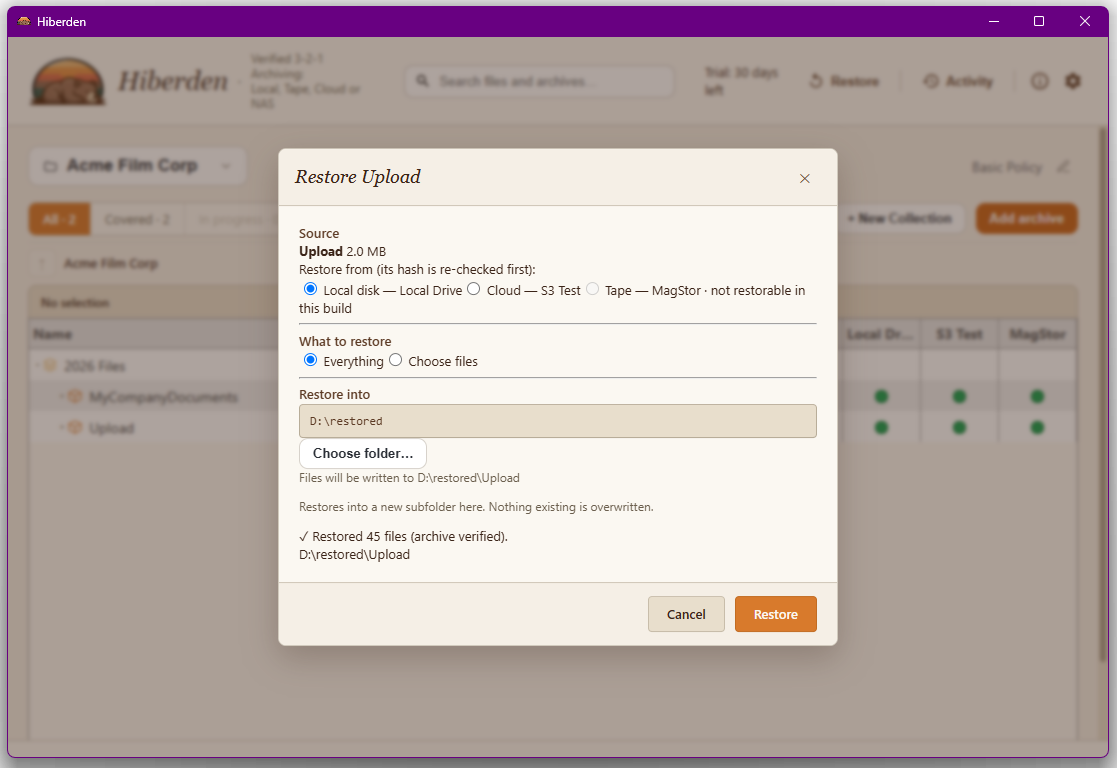
Every restore writes into a new subfolder at the target you choose. Nothing existing is ever overwritten. Restored files get their original modification times back from the archive; permission bits are recorded in the archive but not applied on Windows restore.
Every byte is re-hashed on the way out
A restore is itself a verification. As Hiberden reads the copy back, it re-hashes the bytes and compares them against the SHA-256 recorded in the catalog. You do not just get your files back; you get proof they are the same bytes you archived.
Restoring from tape
Whole-archive restore from a verified tape copy works in the current build. Hiberden mounts the cartridge through LTFS and reads the archive back through the same hash gate as every other medium.
Archives that span multiple cartridges restore cartridge by cartridge. Each segment is hash-verified as it is read, and the app prompts you to swap cartridges between segments, with Continue and Cancel options at each swap.
If the cartridge is not loaded when Hiberden needs it, you get an offline prompt: "the cartridge isn't loaded. Its status was left unchanged." You can retry once the cartridge is in the drive. An offline cartridge never changes a copy's status; Hiberden only judges a tape copy against its own mounted cartridge.
Restoring only some files from a tape copy works too: choose Choose files, tick what you need, and Hiberden reads the whole archive from the cartridge, checks its SHA-256, and writes out only those files. Tape cannot jump to one file, so this takes as long as reading the whole archive. Hiberden first copies the whole archive from the cartridge into this computer's temporary folder and checks it there, so that drive needs free space for the whole archive.
If a copy is unavailable
When the chosen source cannot deliver, Hiberden prompts with the healthy alternatives instead of dead-ending. The prompt tells you exactly what happened:
- Corrupt: the copy "failed its read-back hash and was marked Failed."
- Gone: the copy was not where the catalog expected it and "was marked Missing."
- Offline: a tape cartridge is not loaded; status is left unchanged and you can retry that copy.
If another verified copy exists, you can continue the restore from it. Hiberden informs you about the bad copy; it never repairs, rewrites, or deletes anything on its own.