
The MCP connector
Ask your archive
anything.
Hiberden speaks the Model Context Protocol, the open language AI assistants use. Point the assistant you already have at your catalog and ask in plain words.
- Claude
- OpenAI
- Gemini
- and any MCP-capable assistant
hiberden mcp connected·read-only
❯make me a client-ready manifest for the Meridian delivery: every file, size, and checksum
hiberden·list_archive_files
Meridian_Delivery·2,341 files·4.8 TB·verified
All three copies are verified, so every checksum below is proven against the stored data, not just recorded. Here's the manifest:
MER_0417_conform.mov212.4 GBsha256 9f3c…41aa
MER_0417_audio_stems.zip48.1 GBsha256 c07d…8be2
MER_delivery_notes.pdf2.1 MBsha256 5512…97f0
… 2,338 more files
I can format this as a PDF with a cover page, or a CSV for their intake system. Which would you like?
❯
If the catalog knows it, you can ask it.
Hiberden's catalog already tracks every project, archive, copy, tape, and file fingerprint it has ever written. The connector turns all of that into answers: plain language in, real answers out. No query language, no export menu, no waiting on a feature request.
-
Which archives still have no offsite copy?
Coverage is checked against your own policy, archive by archive, and the gaps are named.
-
What's on tape HIB-0042?
Answered from the catalog while the cartridge stays on the shelf. No drive, no mounting.
-
Find every version of final_mix.wav.
Searched across every archive and every copy, with sizes, dates, and locations.
-
Which tapes do I need to pull to restore the Aurora project?
The exact cartridges, by label, before you walk to the shelf.
-
Read the NAS copy of the March masters back and verify it.
A real verification runs on your machine and reports what it found: Verified, Failed, or Missing, naming the check that ran.
-
What did we archive last month, and how big was it?
Recent activity, summarized however you want it sliced.
-
Build a CSV of every archive, its size, and its last verified date.
Any report you can describe, straight from the catalog: manifests, audits, capacity roll-ups, insurance renewals.
-
Did last night's archive run finish?
Job history is part of the catalog too: what ran, what failed, and why.
-
Set up a Season 3 project and file these six archives into it. Archive access
Catalog housekeeping, done conversationally, once you raise the level.
-
Create a policy of two tapes plus cloud and assign it to Raw Footage. Full access
Protection changes live at the highest level, and only if you granted it.
If Hiberden wrote it down, and Hiberden writes everything down, it's one question away.
What happened overnight? Just ask.
Archives run at night, and questions arrive in the morning. The connector reads Hiberden's job history the way it reads everything else, so your assistant can tell you what ran, what finished, what failed and why, and what happens next. The answer that used to mean digging through logs is now the first thing it says.
hiberden mcp connected·read-only
❯did last night's archive run finish?
hiberden·list_jobs
3 jobs·2 completed·1 failed
The tape and NAS copies of Night_Renders_0715 finished and verified. The cloud upload failed at 02:14, 41 GB in: the transfer session expired mid-upload.
You're still covered 2 of 3 in the meantime. Re-run the upload in Hiberden and ask me again: I'll confirm when all three copies are verified.
❯
You grant a level, not a blank check.
The connector's permissions are a setting inside Hiberden, on your machine, set by you. An assistant can never raise its own access, and anything above its level isn't just refused: it's invisible. Those tools are never offered to the assistant in the first place, so it cannot ask for what you haven't granted.
-
01 · Read-only
Look, verify, report.
The default, and where most people stay. Search, coverage, job history, verification, and every report on this page. Nothing about your setup changes: no projects, no destinations, no policies. The one thing this level writes is the outcome of a verification you asked for, which is the point of running one.
-
02 · Archive
Organize the catalog.
Adds housekeeping: create projects and Collections, rename, and re-file archives. The archived data itself is never touched.
-
03 · Full
Shape the protection.
Adds destinations and policies: the decisions about where copies live. Cloud destinations and their credentials still belong to the app alone, never to the connector.
The delete switch
Deleting anything sits behind its own separate switch, off by default at every level. Even switched on, Hiberden itself refuses removals that would silently orphan your data.
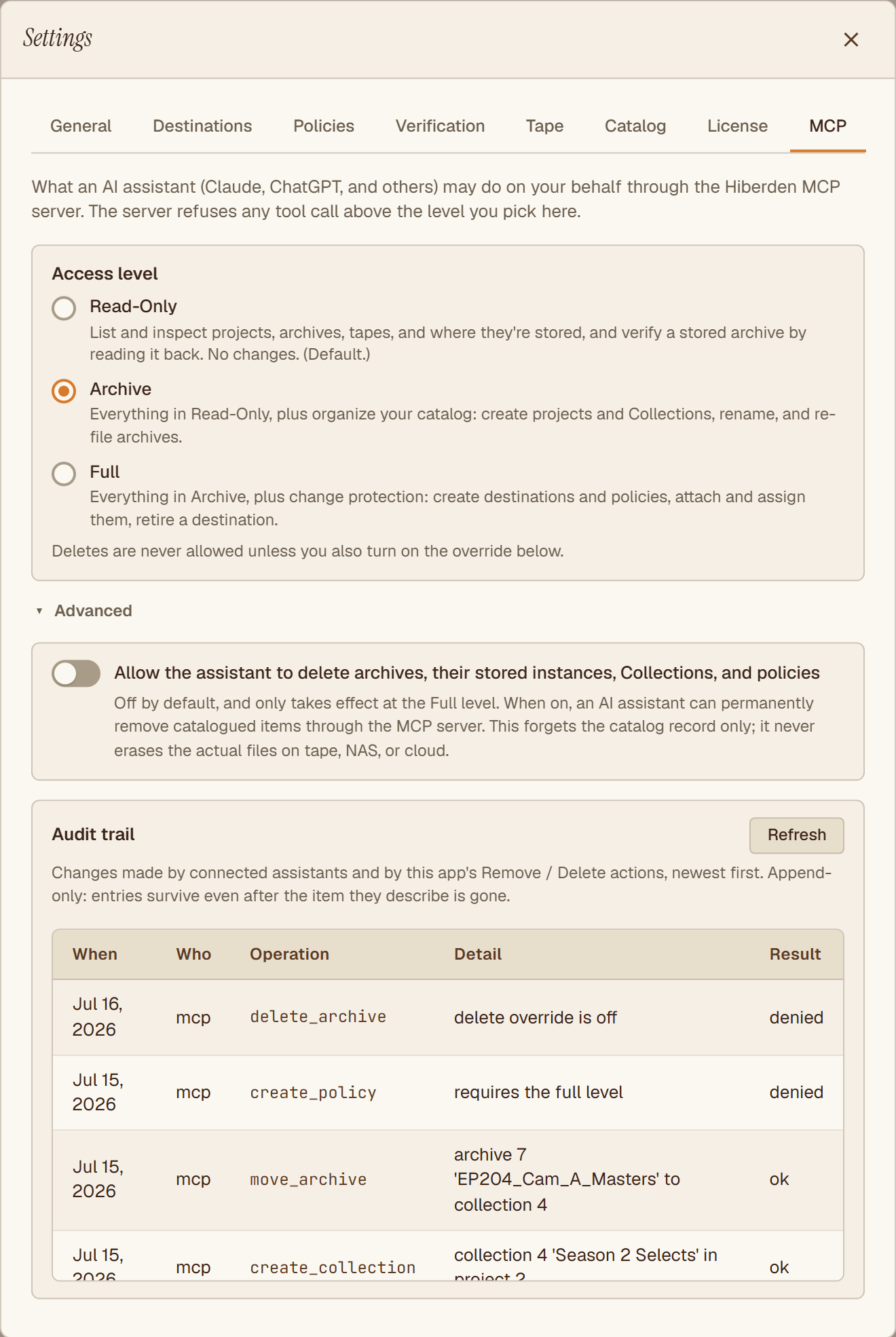
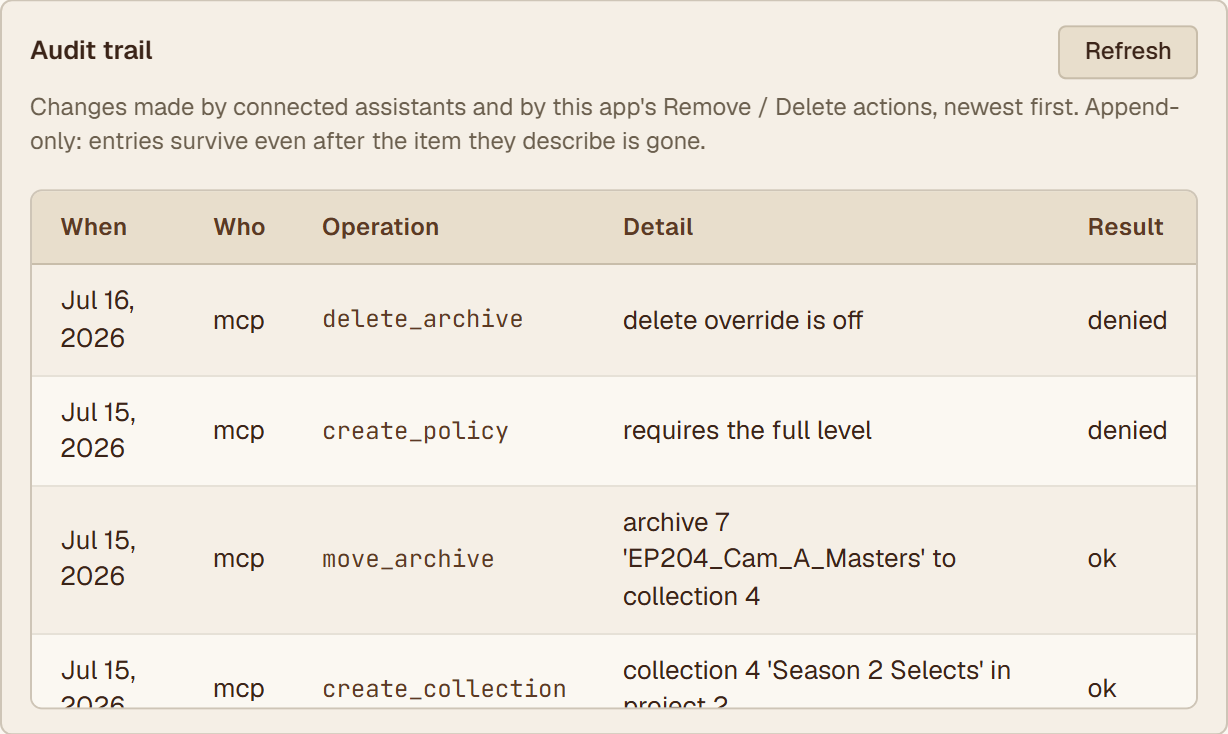
Every change an assistant makes lands in an audit trail you can read in the app: what was done, when, at which level, and what was refused. Completed verifications are written there too, naming the check that ran. Trust, with receipts.
It reads the catalog, not your files.
The catalog is a local database inside your Hiberden install, and the connector is a local process beside it. There is no Hiberden cloud in this loop: nothing about your archive is uploaded, synced, or shared with us.
Answers come from catalog records: names, sizes, dates, locations, checksums, history. The archived files themselves are never handed to the assistant. When you ask for a verification, Hiberden reads the copy on your side and reports the verdict, not the data. You can ask for the full check, which re-reads against SHA-256, the recorded BLAKE3, and the archive's signature, or the quick one, which re-reads against BLAKE3 for speed. Only the full check can mark a copy Verified, and the answer always says which one ran.
And what you ask is the only thing that leaves the den. Your cloud keys are entered in Hiberden and stay there; the connector never sees a credential, and neither does the assistant.
Connected in a minute.
- 01Open Settings, then MCP, in the Hiberden app and pick the access level.
- 02Hit Connect your AI assistant. Hiberden writes itself into Claude Desktop, Cursor, or Windsurf if it finds them, leaving their other connectors alone. For ChatGPT, Gemini, or anything else that speaks MCP, copy the config instead.
- 03Ask your first question.
MCP is an open standard, and that's the point: one connector covers every assistant, including whichever one you switch to next. There is no Hiberden plugin to wait for, here or anywhere.
Give your archive a voice.
Try the whole thing free for 30 days, connector included, every feature on. The built-in virtual tape drive means you can archive, verify, and interrogate a full 3-2-1 setup before you own a single cartridge.
Windows 10+, Linux, and macOS · Free 30-day trial · Connector included