3-2-1, built in
Every copy your
archive needs, in
one catalog.
LTO tape, NAS, cloud, and local disk, all written together and tracked in one place, so 3-2-1 is the default, not a chore.
Four steps take an archive from a policy decision to a verified restore years later, with one project and every copy tracked in a single catalog.
Real screens from the app · sample data
01 · Plan & policy
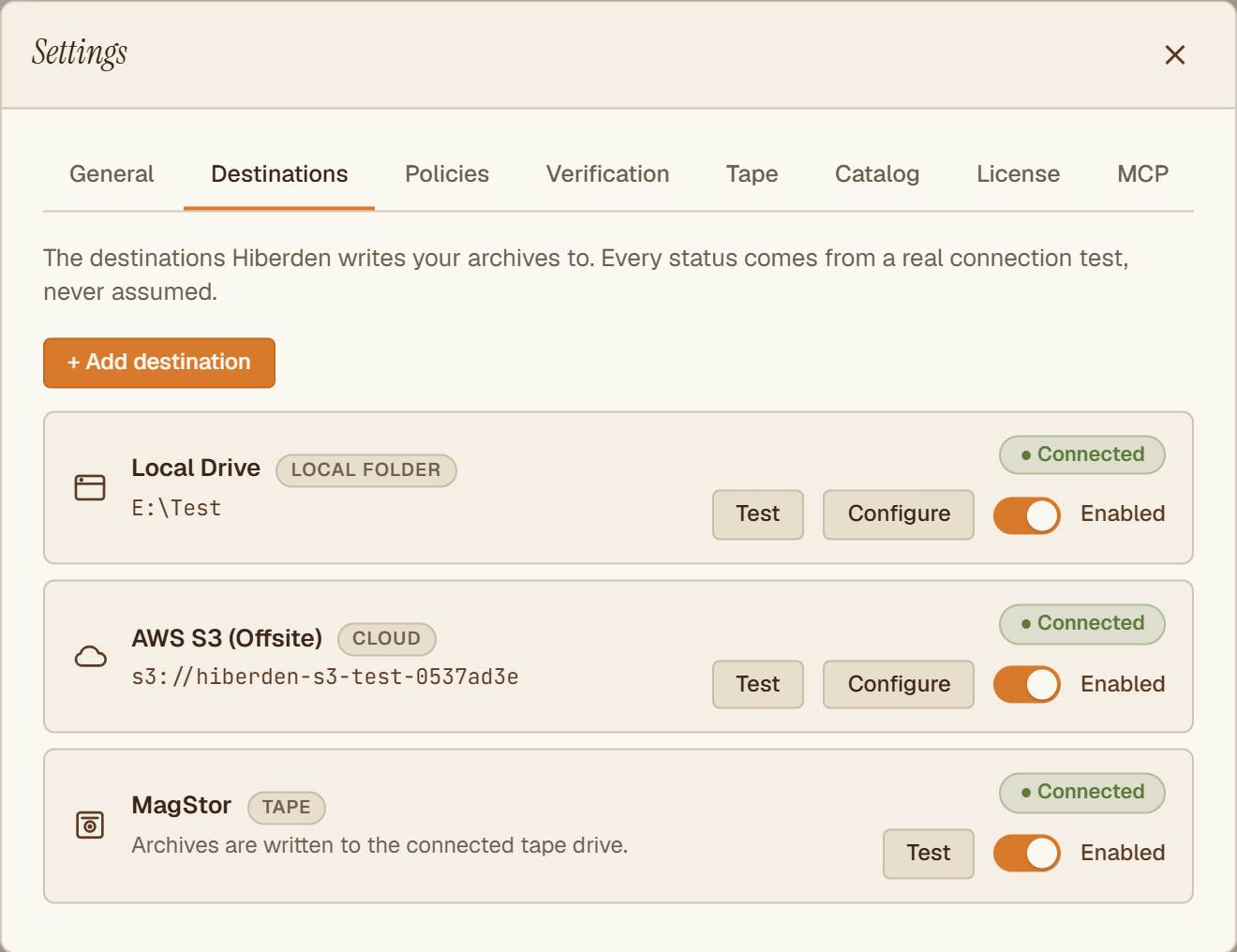
Set a policy for the archive: which destinations it writes to and how many copies it keeps. Hiberden checks the plan against the 3-2-1 rule as you build it (three copies, two kinds of media, one offsite) and tells you the moment it's satisfied.
02 · Archive
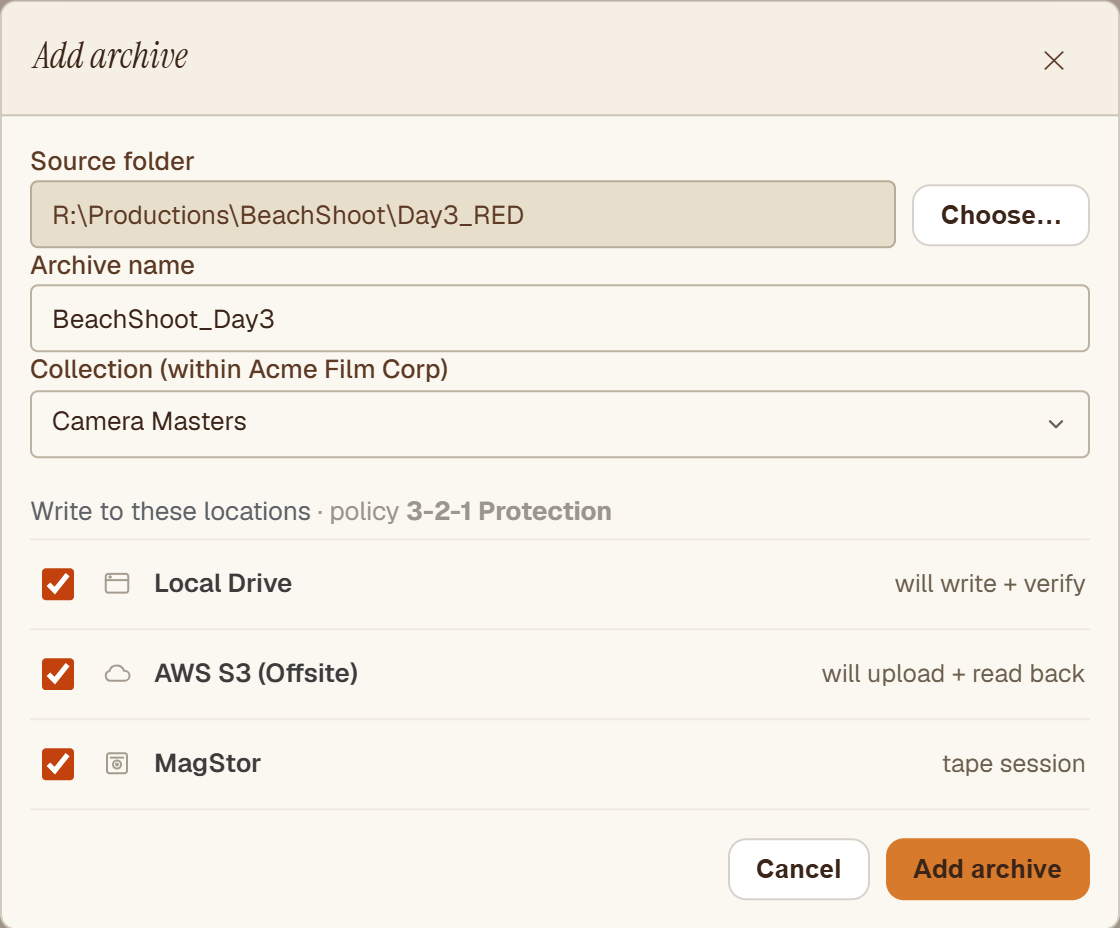
Point Hiberden at a folder and archive it once. The same operation writes every destination in your policy (local disk, cloud, and tape), and the catalog records where every file landed. No juggling three separate vendors' tools.
03 · Verification
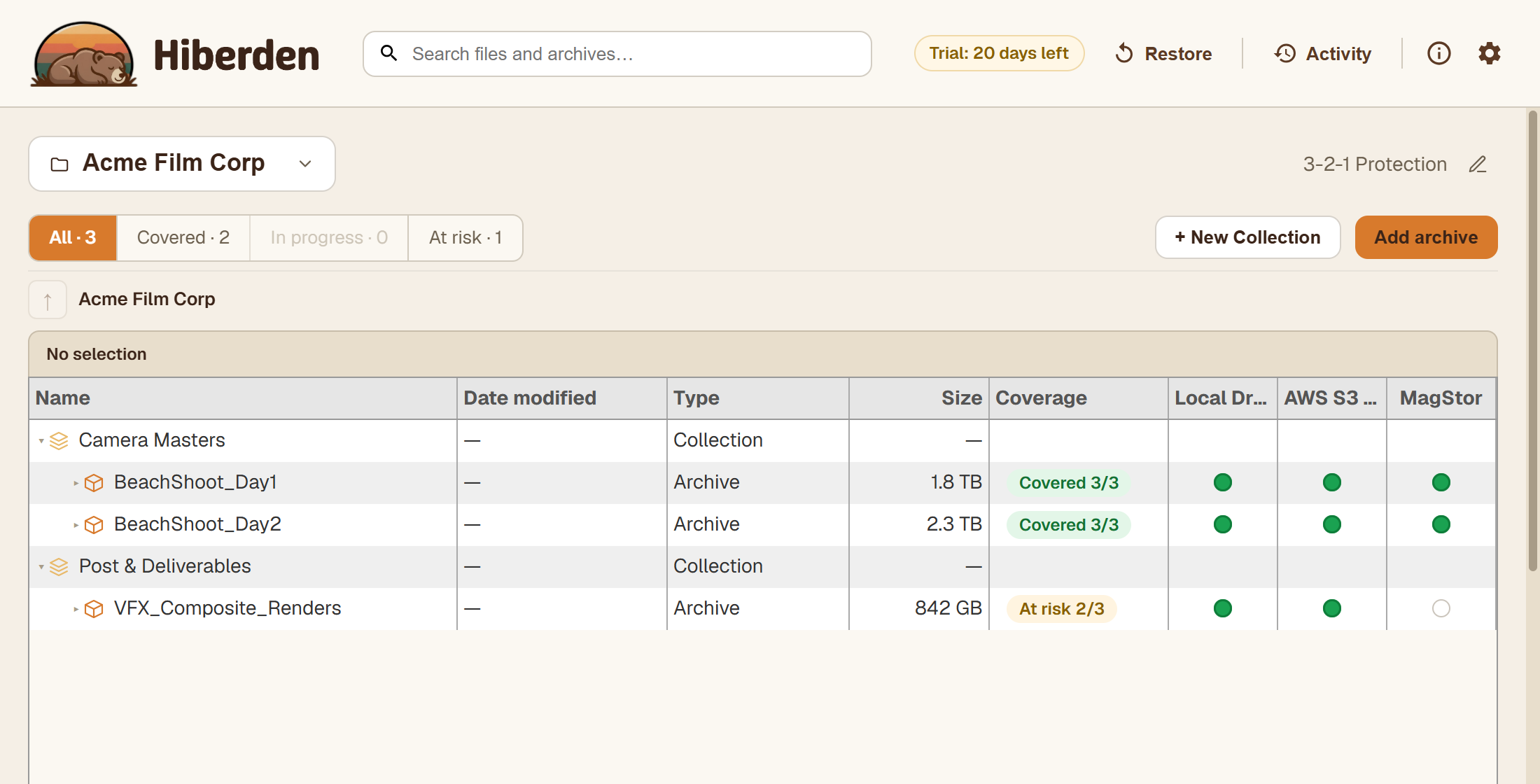
When Hiberden writes an archive, it takes a fingerprint of it: a checksum that changes if even one bit of the data does. After every write it reads each copy back from the medium and recomputes that fingerprint. Match, and the copy is proven identical, byte for byte (disk, NAS, and cloud from the storage, tape through LTFS, the tape's own filesystem); miss, and the copy fails. An archive shows Covered 3 of 3 only once every copy has passed, so a bad copy surfaces now, not years from now.
04 · Restore
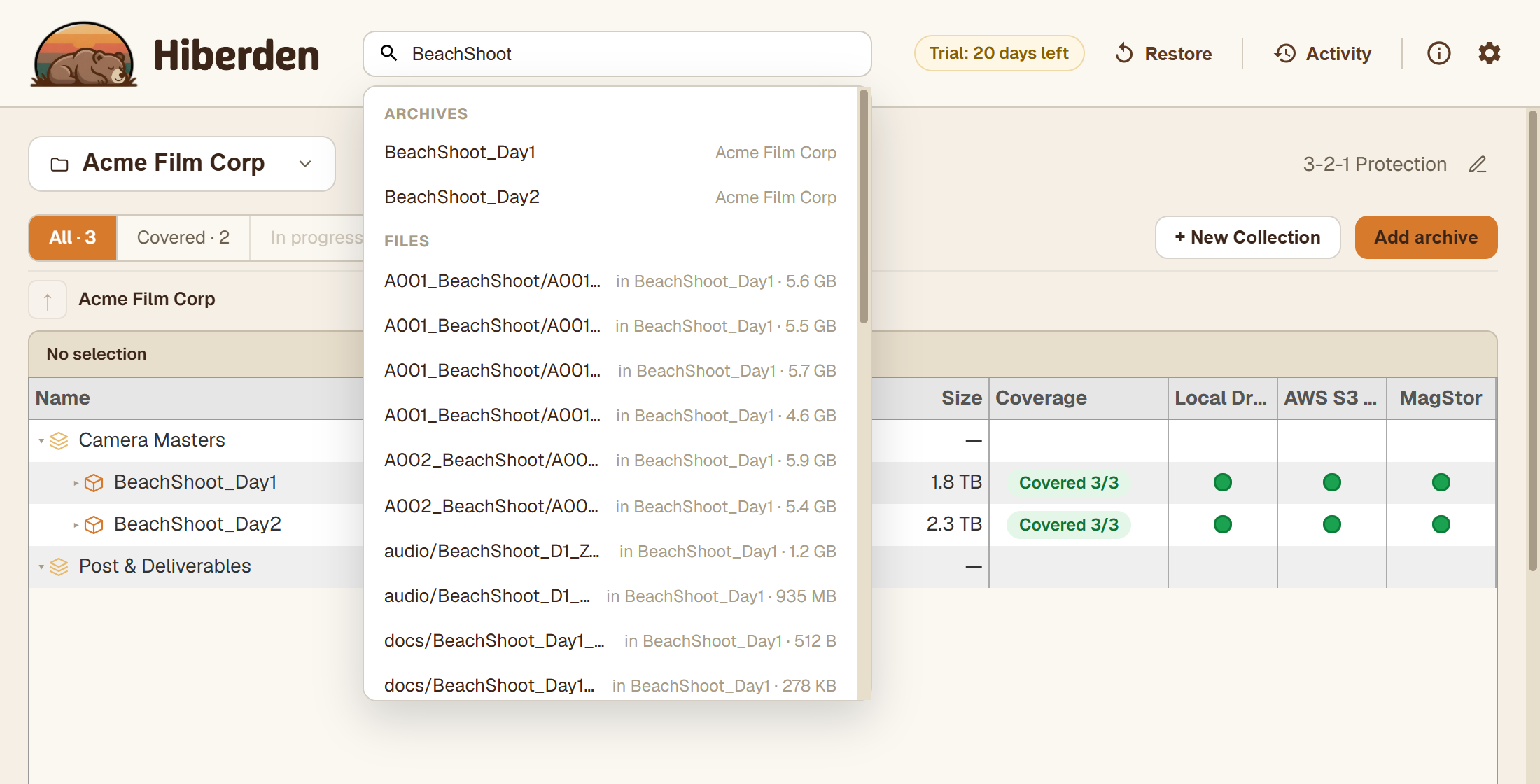
Search the catalog for a file across every archive and every copy, then restore from whichever is fastest or closest. Open formats, no lock-in: nothing is held hostage, and nothing has to be migrated later.

Every archive is anchored on tape and surrounded by the other copies a real 3-2-1 plan needs. Mix and match to fit the work: tape and cloud, tape plus NAS plus cloud, or two tapes and a disk. The catalog tracks them all the same way.
The spine
The lowest cost per terabyte, and the only medium that's air-gapped by default. A tape on a shelf is unreachable to ransomware. Hiberden writes in an open, documented format, with no proprietary container and no lock-in. If Hiberden ever disappears, your tapes are still your tapes.
Fast restore, low complexity. Any path Hiberden can write to (internal drive, attached storage, anything that looks like a folder), through the same integrity-checked write path as tape.
A network share is a folder to Hiberden. SMB, NFS, any share your machine can mount. A useful working second copy when tape is slow to mount and cloud is slow to restore from.
S3-compatible object storage in your own account: AWS, Backblaze B2, Wasabi, MinIO, whatever you already pay for. Hiberden never holds your cloud credentials on its servers. Your storage, your account, your bill.
Every copy is read back and verified after every write: disk, NAS, and cloud from the storage, and tape through LTFS. Restore from whichever copy makes sense for the situation.
Hiberden includes a connector, built on the open Model Context Protocol, so an AI assistant you already use, like Claude, ChatGPT, Gemini, or Copilot, can work with your archive. Ask in plain language what you have, where a file lives across every copy, or which archives are fully verified, and it answers from your own catalog.
hiberden mcp connected·read-only
❯which of my archives aren't fully protected yet?
hiberden·list_archives
3 archives·2 covered·1 at risk
Two are covered 3-of-3 and verified. One still isn't:
VFX_Composite_Renders842 GBAt Risk
Local DriveAWS S3MagStor
No tape copy yet, so it misses your 3-2-1 policy. Raise me to Archive access and I'll queue the tape write.
❯
You decide how much it can do, and you grant a capability level, not a blank check. Permissions are a setting in Hiberden, not something the assistant can give itself. Read-only is the default: it can look, and read a copy back to verify it, but it changes nothing. Raise the level to let an assistant organize your catalog, or to set up destinations and policies, always on your terms. Deleting stays off unless you deliberately turn it on.
Every change an assistant makes is written to an audit trail you can read in the app, and it never sees your cloud keys or credentials, because those are only ever entered in Hiberden itself. The assistant works through the same verified, cataloged path as everything else. It just answers to you.
More on the MCP connector: what you can ask, permission levels, and how it stays private
Hiberden is software you install, not a service we host. Your tapes sit in your library. Your NAS shares run on your network. Your cloud buckets stay in your own account, billed directly by your provider. We never hold your files or your credentials.
Every copy is written in an open, documented format. Tapes are standard LTFS. Disk and cloud copies are ordinary files. The catalog that tracks it all lives on your machine, yours to move, back up, or audit without asking us.
If you ever stop using Hiberden, nothing is stranded. Your tapes stay readable, your files stay files, and your buckets stay in your account. There's nothing to migrate off, because nothing was ever locked in. You do not need our software to recover your own data.
Wherever data is expensive to create and impossible to recreate, a verified archive is the difference between a setback and a disaster.
Camera masters, project files, and finished deliverables: petabytes that have to survive long after the shoot wraps.
Growing footage libraries that need fast retrieval and a durable, offline copy that outlives any single system.
Scans and records with long retention requirements, where every copy has to be verified intact.
Training sets and model checkpoints that are costly to regenerate and worth keeping cold between runs.
Instrument data and results that must stay reproducible and readable years, or decades, later.
Records kept for compliance, where an auditable, integrity-checked copy matters as much as the data itself.
Try the full product free for 30 days, every feature on, no card required. Restore and verify always work, license or not. A virtual tape drive is built into the app, so you can set up and evaluate the whole 3-2-1 workflow before investing in an LTO drive. When you're ready, the same archives import onto real hardware.
Windows 10+ · Free 30-day trial · Buy a perpetual license anytime