
Restoring is always available, with or without a license. Hiberden re-checks the hash on the way out, so every restore is also a verification. There are a few ways to do it.
Restore a whole archive
Click Restore in the header, then pick the archive you want back. Only archives with at least one verified copy can be restored, so the list already shows what is recoverable. Any verified copy qualifies: local disk, NAS, cloud, or tape.
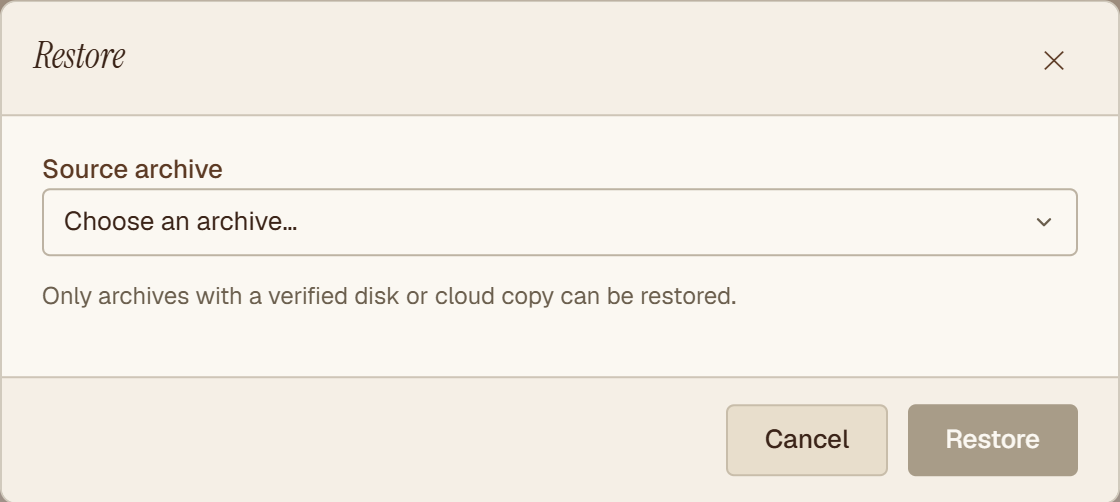
Next, choose which copy to restore from, or let Hiberden pick for you. When it picks, it prefers disk and NAS copies first, then cloud, then tape. Pick a folder to restore into, and Hiberden re-reads that copy, re-hashes it, and writes the files into a new subfolder. Nothing existing is overwritten.
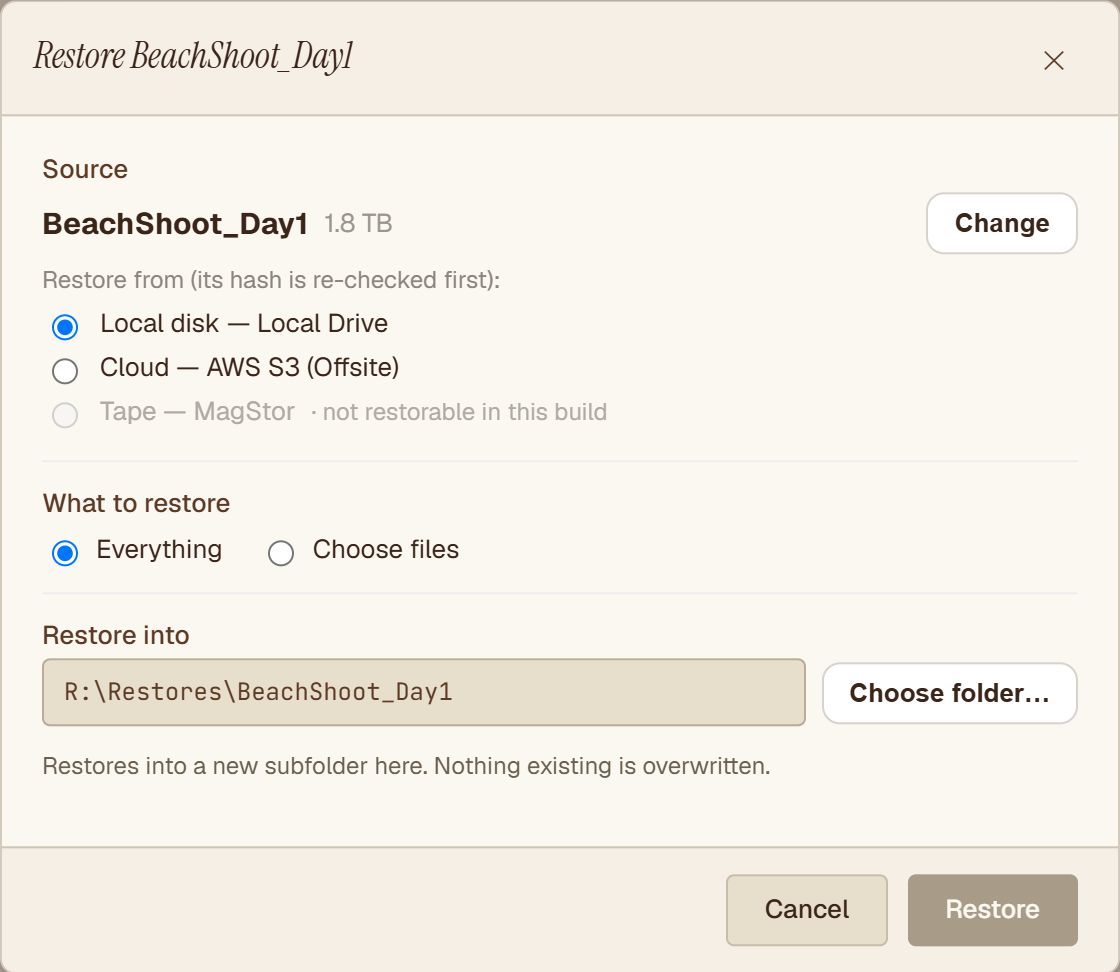
Restoring from tape works the same way: the cartridge is mounted and read back through the same hash gate as every other copy. If an archive spans several cartridges, Hiberden restores it cartridge by cartridge, verifying each segment and prompting you to swap cartridges as it goes. The full walkthrough is in Restoring an archive.
If the copy you picked is not available
If the source you chose turns out to be gone, corrupt, or offline, Hiberden does not dead-end. It tells you what happened and offers the remaining healthy copies instead. An offline tape cartridge also gets a "Retry this copy" option, and its status is left unchanged: a cartridge that simply is not loaded never counts against the copy.
Restore only some files
In the same dialog, switch What to restore from Everything to Choose files, then tick just the files or folders you need. Useful when you only want a handful of items out of a large archive.
From a disk, NAS, or cloud copy, Hiberden reads just the bytes of each file you ticked. From a tape copy, or for an older archive whose catalog did not record where each file sits, it reads the whole archive, checks its SHA-256, and writes out only the files you ticked. An archive with no file list in the catalog at all can only be restored whole. More detail in Restoring a single file.
Find and restore a single file with search
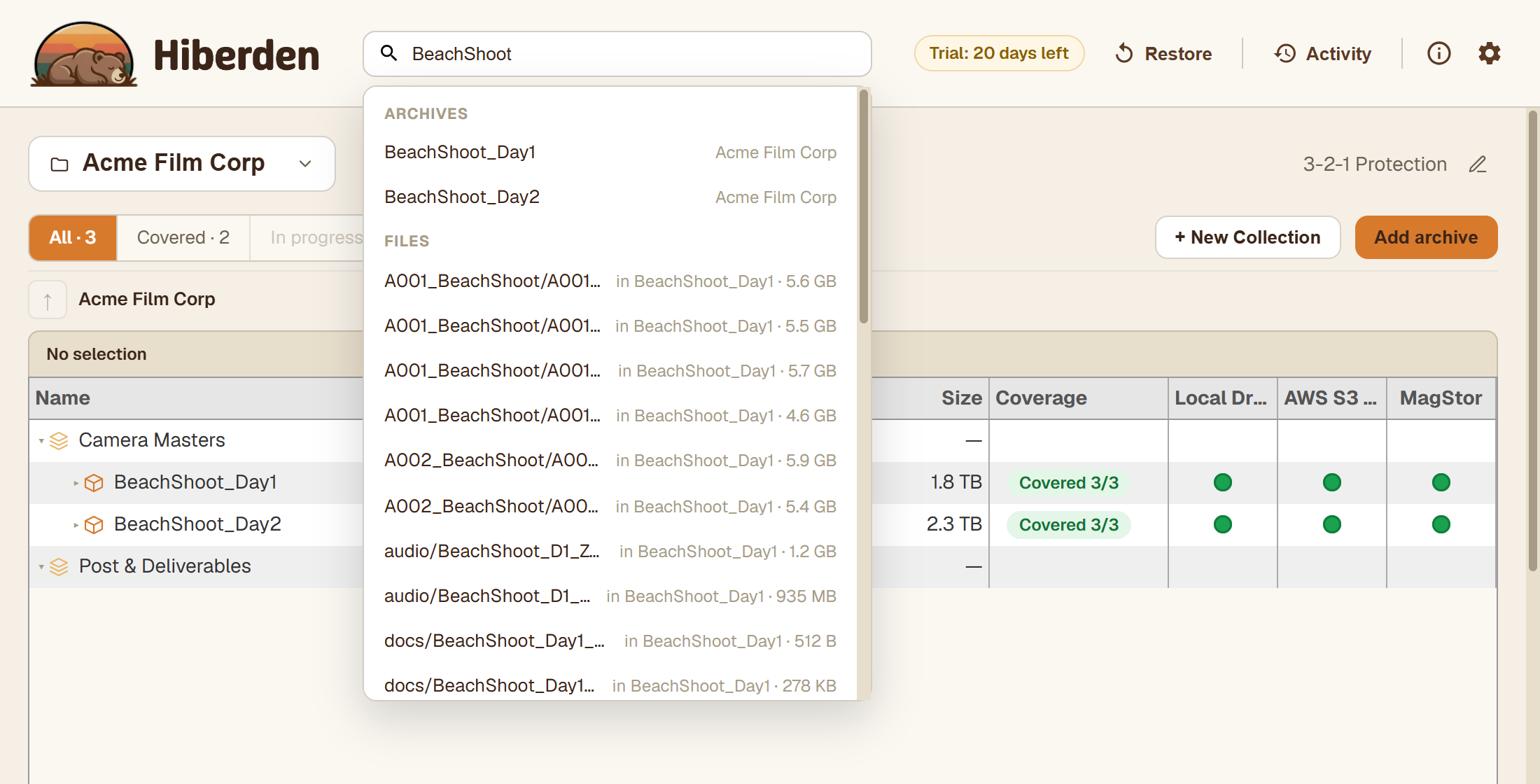
Not sure which archive a file is in? Type part of its name into the search box at the top of the window. Hiberden searches across every archive at the file level and shows each match with the archive it lives in, so you can go straight from "where is that file" to restoring it.
Every restore is verified
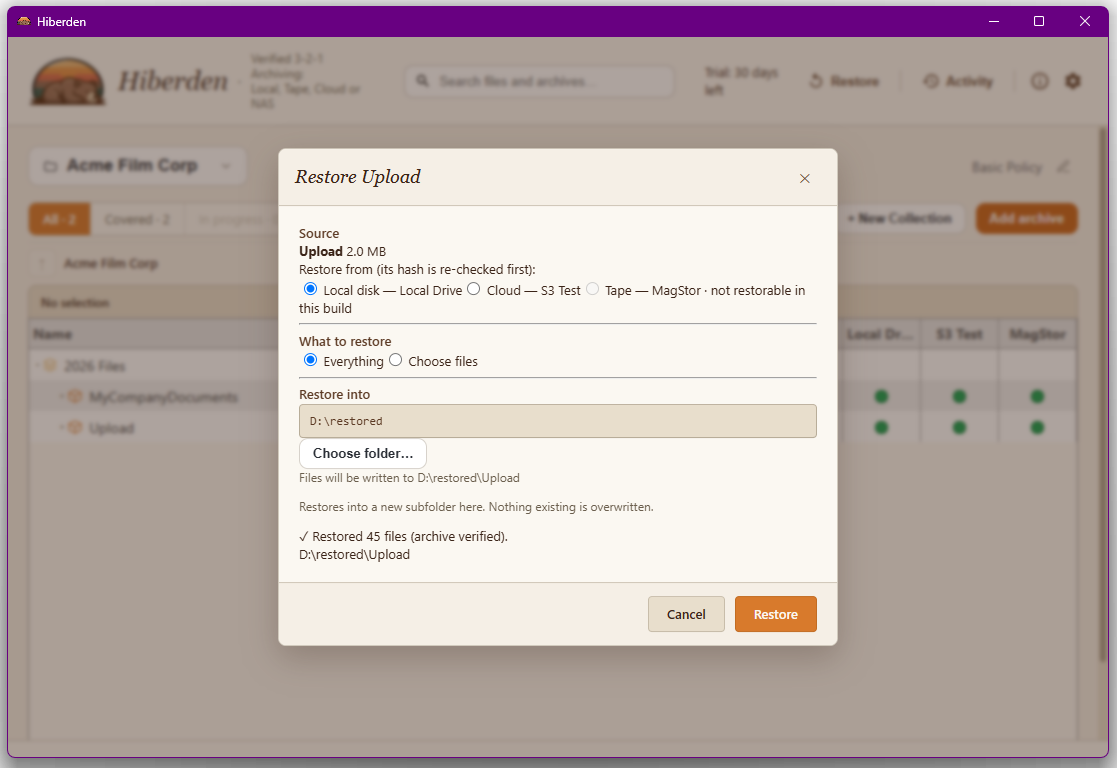
However you restore, Hiberden confirms the result. A whole-archive restore reports how many files were written and that the archive verified on the way out. A per-file restore from disk, NAS, or cloud reports the files it restored and verified, each one re-hashed against its own recorded SHA-256; one that read the whole archive reports the files it wrote and that the archive verified.
Where to go next
- Restoring an archive: the whole-archive flow in detail, including tape and cartridge swaps.
- Restoring a single file: pull one file back without touching the rest.
- Verified 3-2-1 Archiving: the ideas behind all of this.