
Your Hiberden license is active on one machine at a time. What that means in practice depends on whether you are staying on the same computer or moving to a different one. Either way, a license change never touches your archives, and restoring and verifying always work, with or without a license.
Same computer: reinstall or reset
Reactivating on the same machine is self-service, except usually after a clean Windows reinstall or a PC reset.
- If you reinstall the Hiberden app itself (for example to update it), you do not need to do anything. Your license and catalog are untouched by reinstalling.
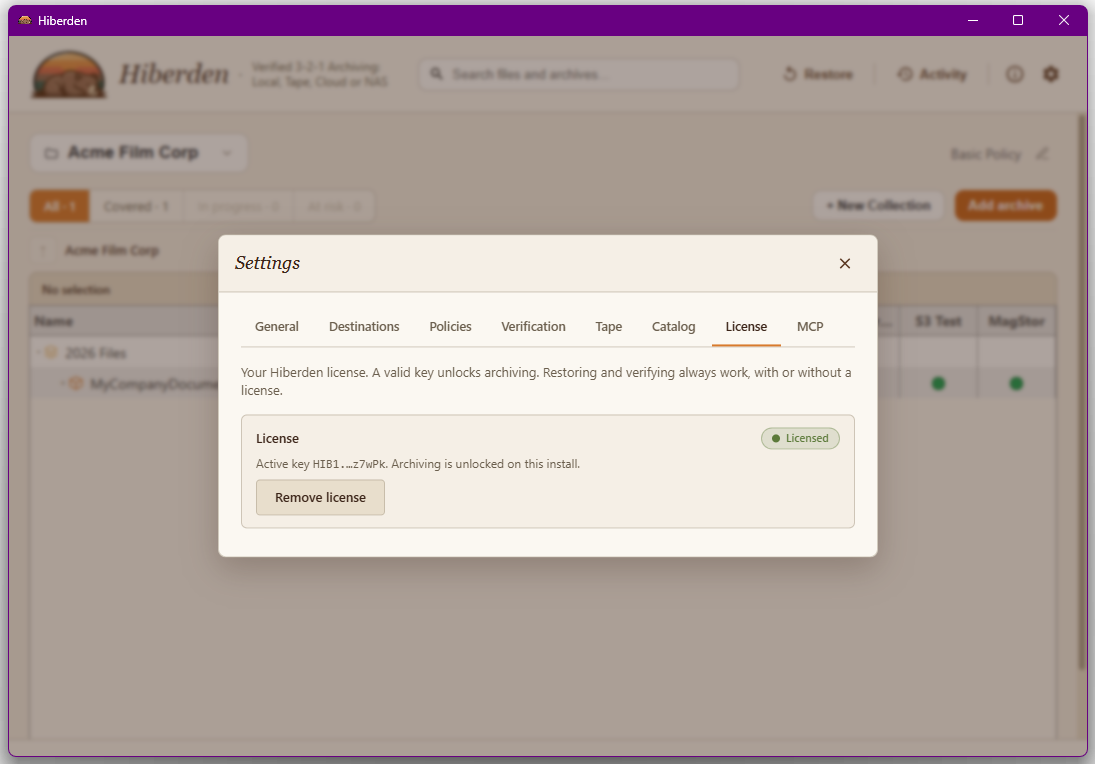
- If you clicked "Remove license" in Settings, just enter your key again: open Settings > License, paste the key, and click Activate. The same key reactivates the same machine; no need to contact anyone.
- If you do a clean reinstall of Windows or reset the PC, that normally gives the computer a new identity and the server sees a new machine, so Activate answers "This license is already active on another machine. Contact support to move it." Email support@hiberden.app, support releases the old activation, and the same key activates again. An in-place repair or upgrade install of Windows keeps the identity, and the license, in place.
New computer: contact support
Moving the license to a different machine takes one extra step today. Email support@hiberden.app and ask to move your license. Support releases the activation on the old machine, and you then install Hiberden on the new machine and activate with your existing key (Settings > License > Activate).
If you try to activate on the new machine before the old activation is released, the app tells you: "This license is already active on another machine. Contact support to move it."
Two things worth knowing:
- The "Remove license" button clears the key from the local machine only. It does not release the activation on the server, so clicking it on the old machine does not free the license for a new one. Contact support for that.
- If you no longer have your key, support can resend it to the email address you purchased with.
Your archives are unaffected either way
Nothing about a license move touches your data.
- Your archives live on your destinations (local disk, NAS, cloud, tape) as standard TAR files with documented JSON sidecars. They are yours, readable with or without Hiberden.
- Restore and verify never need a license. That is contractual (see the EULA, section 3), not just a habit of the current build.
- The catalog is a local database at %LOCALAPPDATA%\Hiberden\catalog.db, and it stays with the machine it was created on. The on-media format is designed so an index can be rebuilt and re-verified from the TAR files and their sidecars alone (see the on-tape format). Cloud destination keys are stored in the OS keyring, never in the catalog, so you enter them again when you set up cloud destinations on the new machine.