
Local folder and NAS destinations are the simplest storage Hiberden supports: a directory the machine can write to. They are usually the fastest copies to restore from, and when Hiberden picks a restore source it prefers disk and NAS copies over cloud and tape.
Adding a local folder or NAS destination
When you add a destination, pick Local folder or NAS as the kind. Both take a single write path:
- A local path such as
D:\Archives - A UNC path such as
\\nas\archives - A mapped drive letter that points at a network share
A Browse picker lets you select the folder instead of typing the path.
NAS here means any network share Windows can reach. Hiberden does not manage the network connection itself: if you can address the share by UNC path or through a mapped drive, Hiberden can use it as a destination, and Save & test confirms it can actually write there.
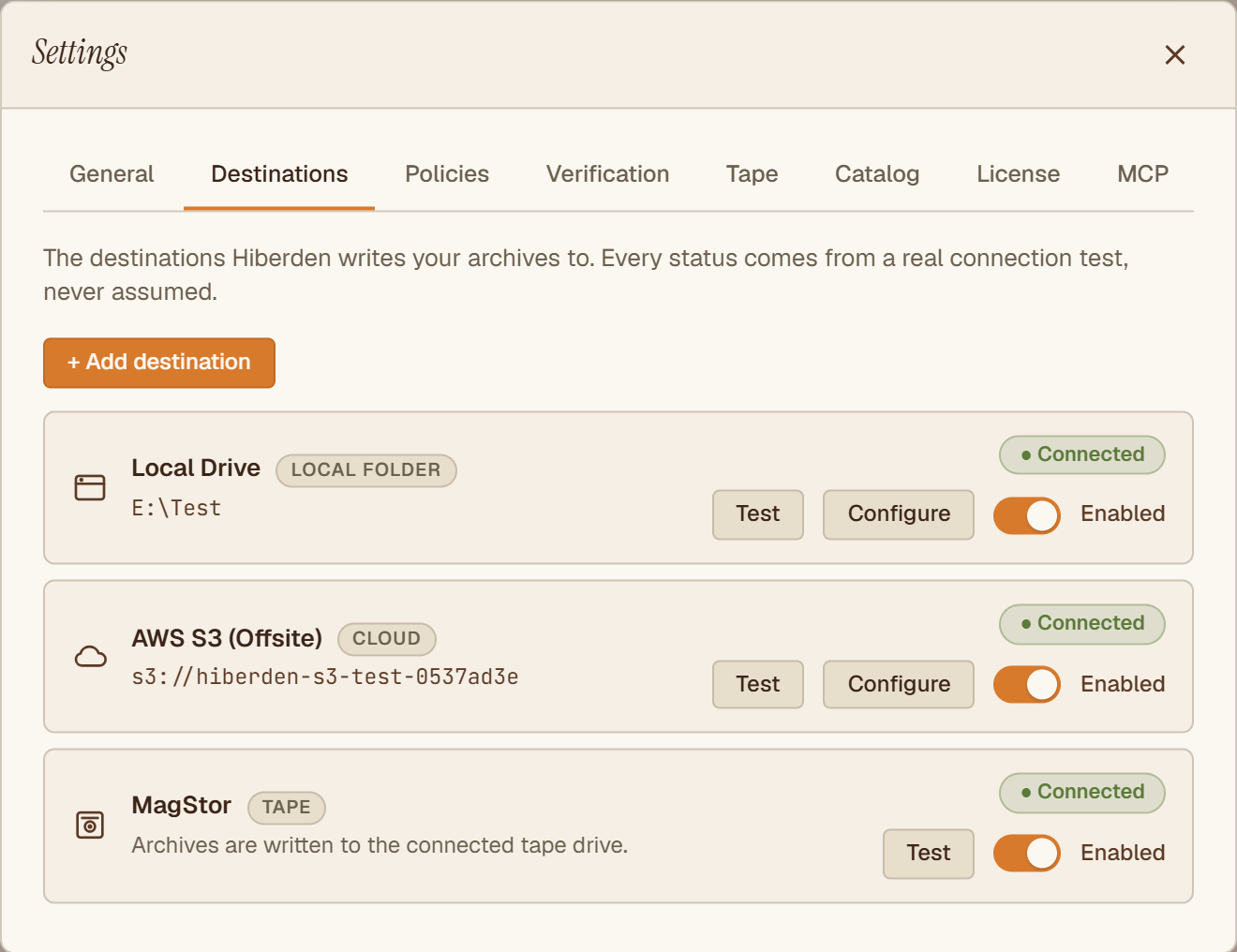
Save & test writes a real file
Save & test never assumes a path works. It runs a real probe: Hiberden writes a small marker file to the path, reads it back, and deletes it. Only a successful round trip earns the "● Connected" badge. A path that cannot be written or read back shows "● Connection failed", and a destination you have not probed yet shows "Not tested".
This matters most for NAS. An offline share, a permissions problem, or a stale mapped drive fails the test at setup time, instead of failing during your first archive.
Verification reads from the storage itself
Disk and NAS copies go through the same verified write path as every other destination. After Hiberden writes a copy, it reads that copy back from the disk or the share and re-hashes it (SHA-256) against the recorded hash. Only a matching read-back marks the copy Verified. Later verifications work the same way: the bytes are re-read from the storage, never trusted from a cached status flag. See Verified 3-2-1 Archiving for why this gate exists.
Disk and NAS copies also give you two practical advantages:
- Per-file restore. Because disk and NAS support byte-range reads, you can restore a single file out of an archive without pulling the whole TAR, as long as the archive's catalog recorded per-file offsets and hashes (all recent archives do).
- Open format. The copy on disk is an ordinary TAR plus a JSON sidecar. You can open it with standard tools even without Hiberden.
Destinations are shared; policies bind them
A destination is defined once and shared across every project. It only starts receiving archives when a policy binds it as a required copy. See Configuring a Copy for that step.