
Quickstart: Your First Verified Archive
Updated July 4, 2026
Hiberden writes every archive to each destination you choose, then reads it back and checks the hash before it ever says "done." Here is the whole loop, start to finish.
1. Connect your destinations
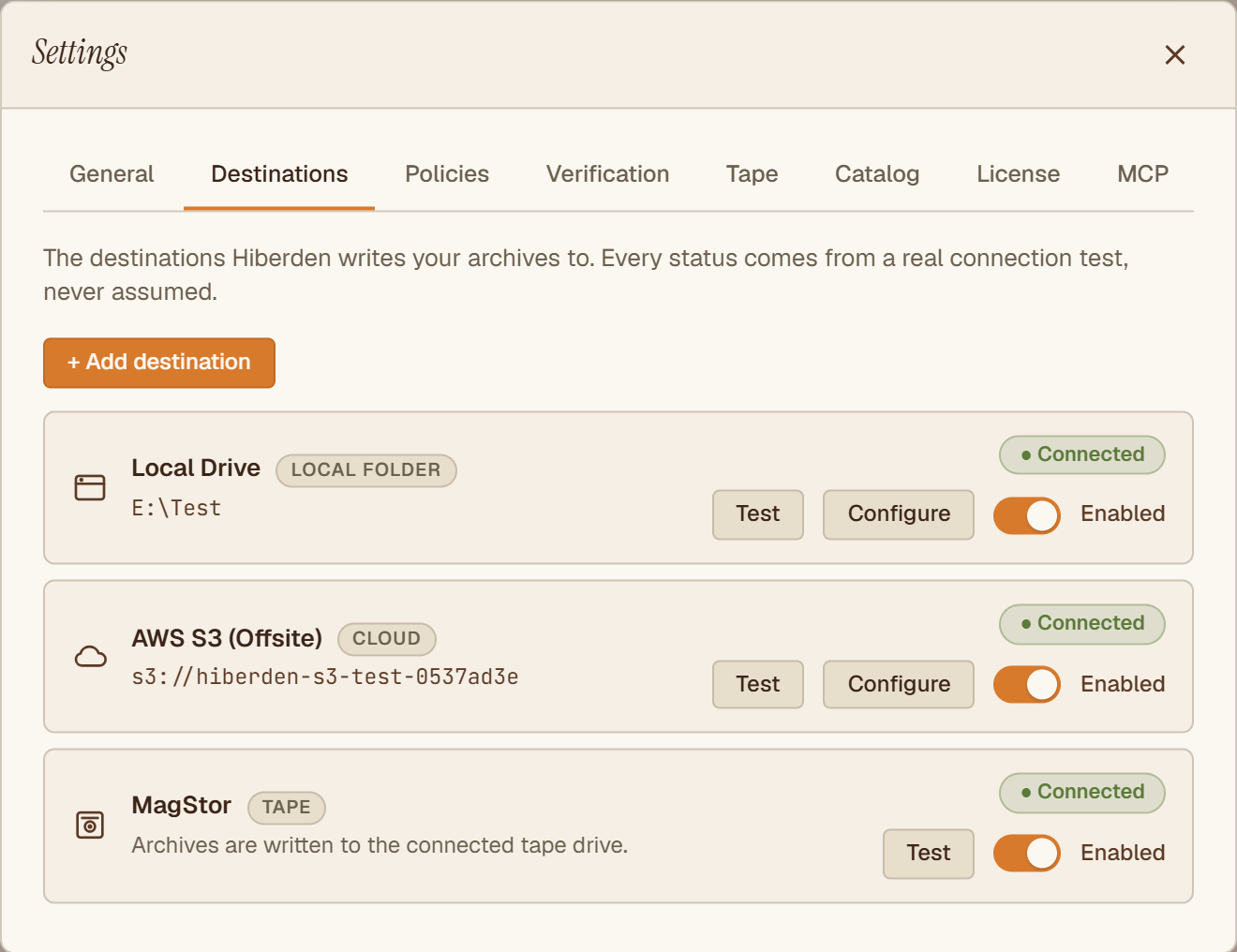
Point Hiberden at a local disk, a NAS share, S3-compatible cloud, or an LTO tape drive. Every "Connected" status comes from a real connection test, never assumed.
2. Add an archive
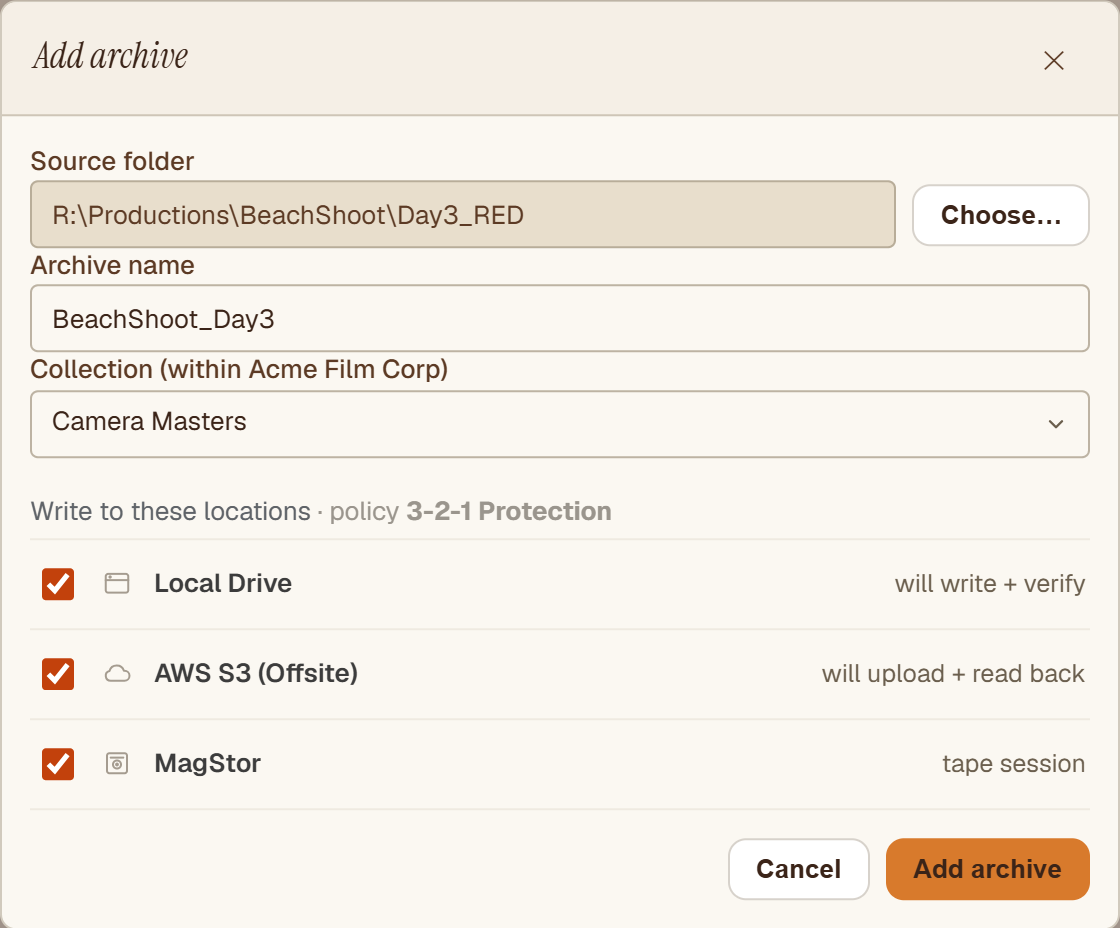
Pick a folder and Hiberden fans it out to every destination in your policy at once, writing one copy each to disk, cloud, and tape.
3. Watch every copy get verified
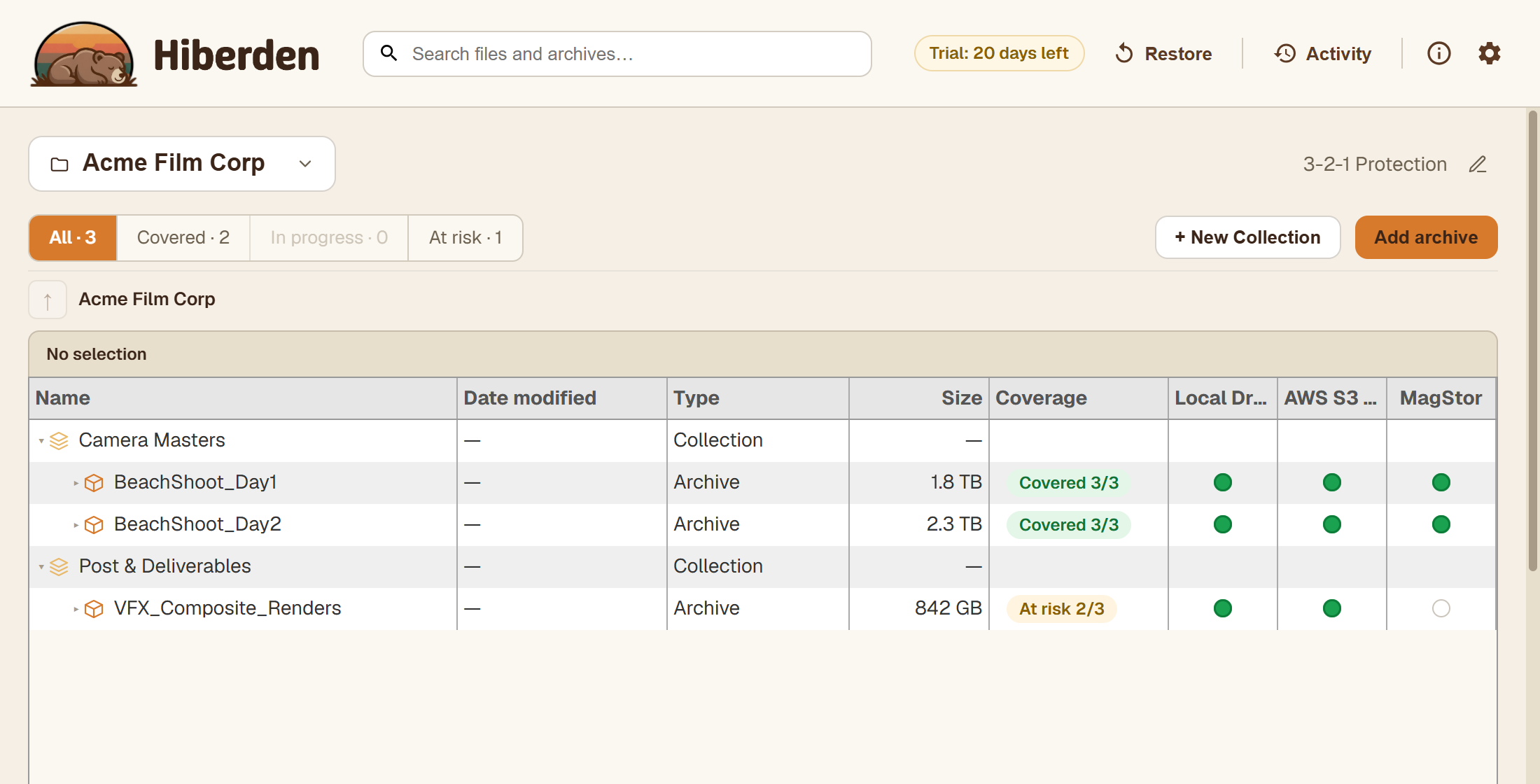
Each copy is written, read back, and hash-checked. The workspace shows exactly how many verified copies exist, per destination, so "Covered 3/3" means proven, not assumed.
4. Restore any copy, any time
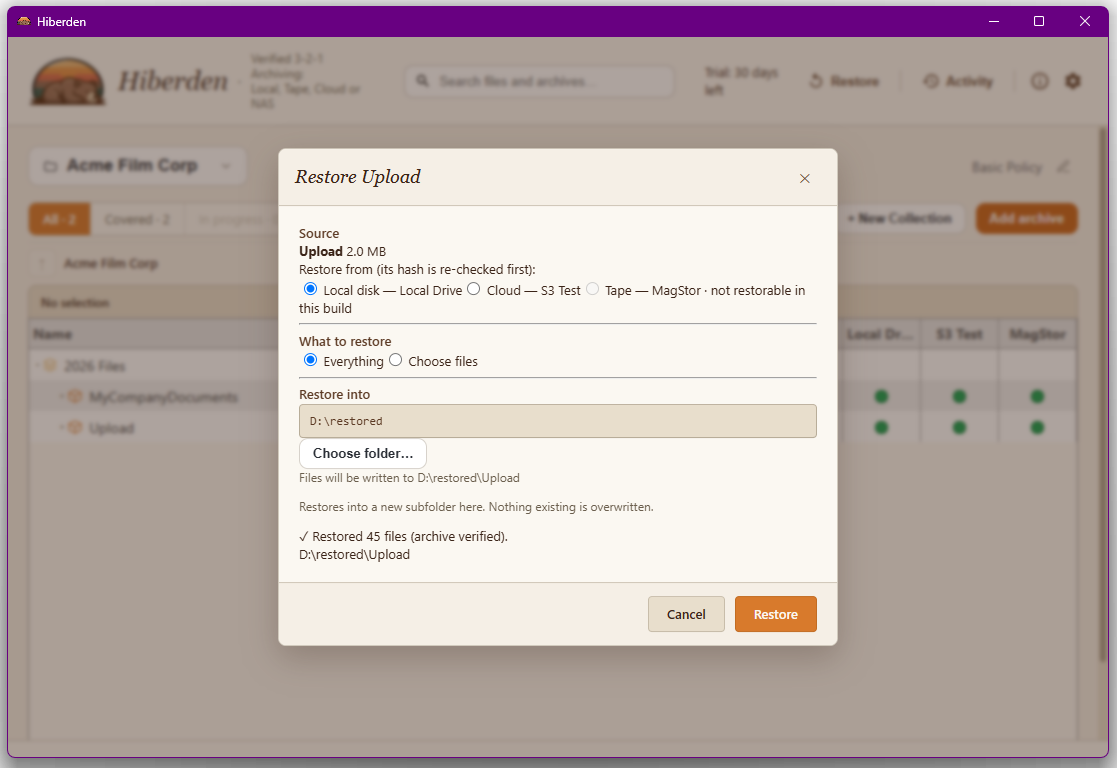
Recover the whole archive or a single file from whichever copy is handiest. Hiberden re-checks the hash on the way out, and restoring always works, with or without a license.
That is the whole loop: add, verify, restore. From here, dig deeper into Projects, Archives, and Destinations and Verified 3-2-1 Archiving.